TIL: SSE (Server-Sent Events) - The forgotten brother of WebSockets
Up until last week, the only thing I knew when I needed to send real-time updates to a browser was WebSockets. Until I cam across to this article. Yes, I am a bit afraid to tell you that, since I have more than a decade of experience as a Software Engineer and yet I don’t know anything about SSE. I might be stupid at this point, but, hey, at least I learned something new today.
Even to this day, not a lot of my friends know about SSE, and I’m too afraid to even ask them about it at this point.
I even once worked on a real-time stock trading app, and there was no single person who knew about SSE around the team at the time. Where this is actually a good case for SSE as there’s no need for two-way communication.
But…
What is SSE?
It is basically a standardized way to send real-time updates to a browser. However it sits on top of regular HTTP/HTTPS instead of it’s brother WebSockets who sits on top of WS/WSS (upgraded protocol).
How it work?
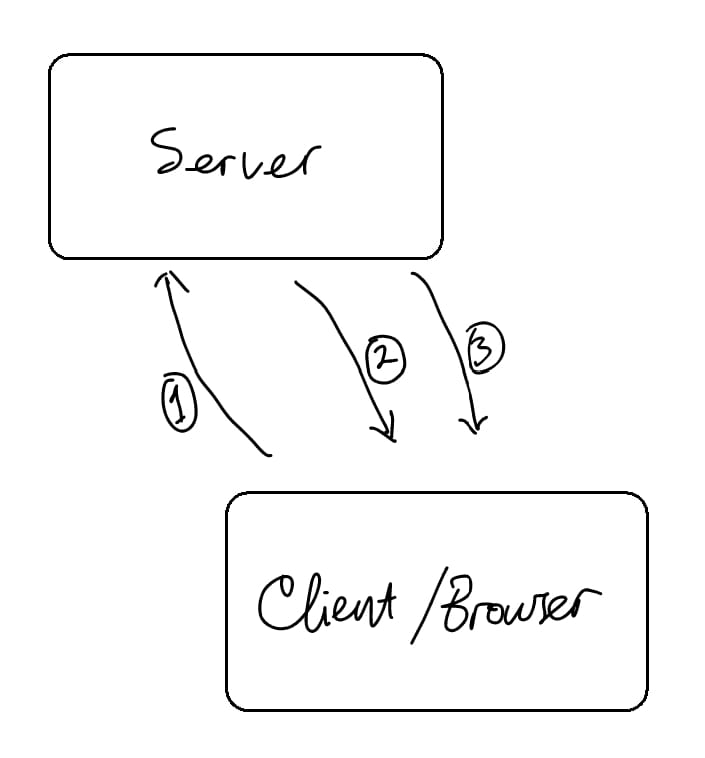
- Client open a connection to a server using JavaScript’s
EventSourceAPI. - & 3. Server sends a response with specific headers and body:
Content-Type: text/event-streamCache-Control: no-cacheConnection: keep-alive
And for the body, SSE requires a special format:
data: <data>\n\nSo it should start with
data:and end with\n\n. And there is additional fields that can be used as well:event: <event-name>\nCan be used for routing named events in JavaScript withaddEventListener.id: <event-id>\nFor automatic reconnection tracking.
Best use cases for SSE?
- LLM response
- Live feeds like financial ticker
- Real-time dashboards or telemetry
- Background jobs & notifications
Demo
Simple demo of SSE with Go and JavaScript.
File structure:
├── index.html
└── main.go
Content of main.go:
package main

import (
	"fmt"
	"net/http"
	"time"
)

func sseHandler(w http.ResponseWriter, r *http.Request) {
	// 1. Set SSE-required headers
	w.Header().Set("Content-Type", "text/event-stream")
	w.Header().Set("Cache-Control", "no-cache")
	w.Header().Set("Connection", "keep-alive")
	w.Header().Set("Access-Control-Allow-Origin", "*") // For local dev

	// 2. Ensure ResponseWriter supports flushing
	flusher, ok := w.(http.Flusher)
	if !ok {
		http.Error(w, "Streaming unsupported!", http.StatusInternalServerError)
		return
	}

	// 3. Stream data periodically until the client disconnects
	count := 1
	for {
		select {
		case <-r.Context().Done():
			// Client closed the connection
			fmt.Println("Client disconnected")
			return
		case <-time.After(1 * time.Second):
			// SSE format requires starting with "data: " and ending with double newlines "\n\n"
			fmt.Fprintf(w, "data: Message #%d at %s\n\n", count, time.Now().Format("15:04:05"))
			flusher.Flush() // Send immediately over the wire
			count++
		}
	}
}

func main() {
	http.HandleFunc("/events", sseHandler)
	fmt.Println("Server running on http://localhost:8080")
	http.ListenAndServe(":8080", nil)
}
Content of index.html:
<!DOCTYPE html>
<html lang="en">
<head>
  <meta charset="UTF-8" />
  <title>SSE Demo</title>
</head>
<body>
  <h1>Live SSE Stream</h1>
  <ul id="log"></ul>

  <script>
    // Open connection to the Go server's SSE endpoint
    const eventSource = new EventSource('http://localhost:8080/events');

    // Triggered every time the server sends data
    eventSource.onmessage = (event) => {
      const log = document.getElementById('log');
      const item = document.createElement('li');
      item.textContent = event.data;
      log.appendChild(item);
    };

    // Handle network errors or disconnects
    eventSource.onerror = (err) => {
      console.error("EventSource failed:", err);
    };
  </script>
</body>
</html>
Then run the server with go run main.go and open index.html in browswer.
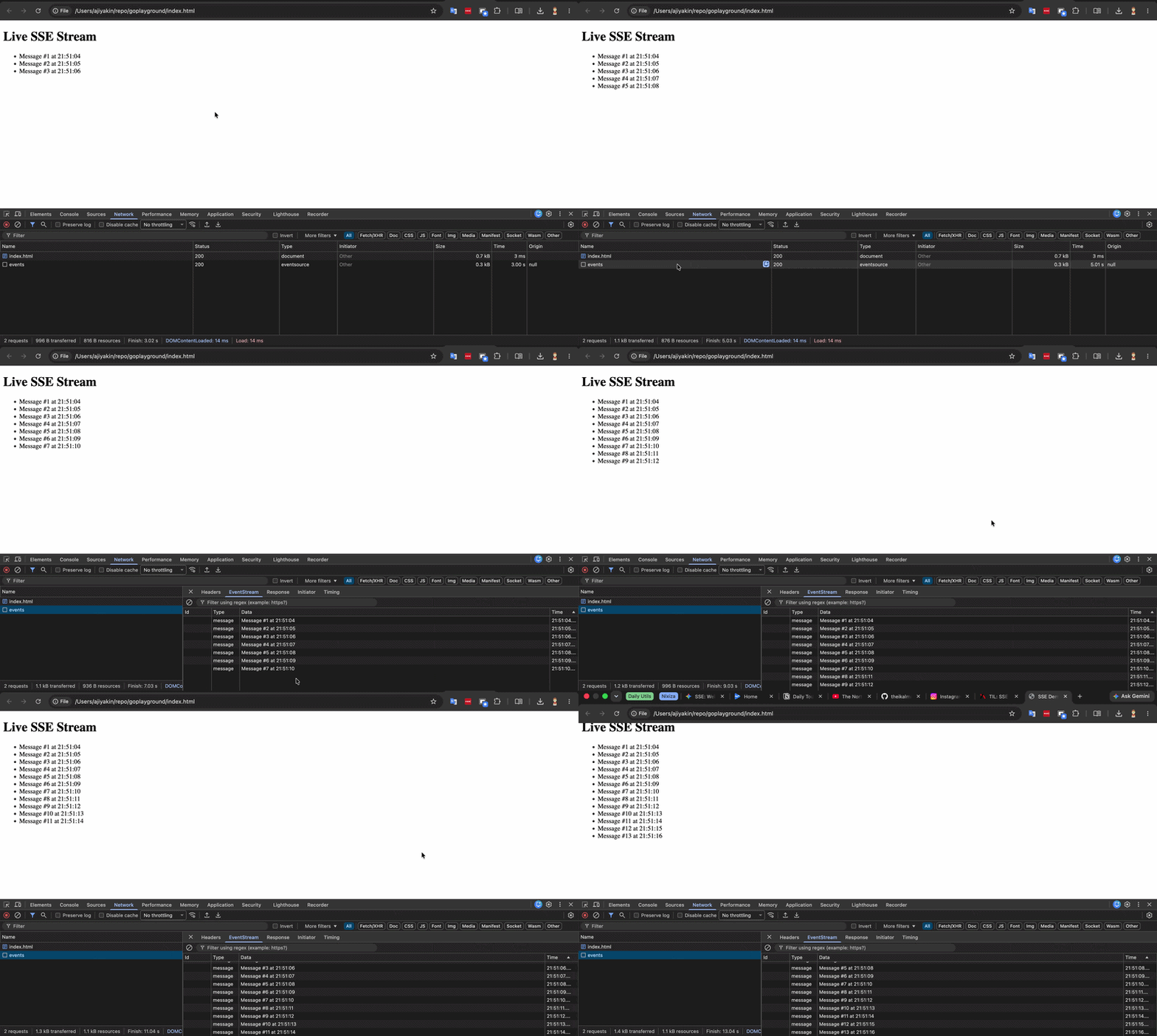
And it should look like this: